


Integrácia prekladového API means connecting your CMS or content pipeline to a translation vendor or TMS so human or Human+AI localisation gets ordered, delivered and reviewed automatically. The pattern we recommend: a connector paired with webhook-driven job status updates, exchanging XLIFF or JSON files, authenticated with OAuth 2.0 or an API token. Scope it properly first. The checklist below shows you how.
What should you decide before building anything?
Before anyone touches an API, get your answers straight. This is the bit non-engineers can own, and it saves everyone weeks of rework later.
- Decide your source of truth: is content edited in the CMS, a spreadsheet, or inside the TMS itself?
- Work out delivery expectations: do you need near real-time sync, or is a daily batch fine?
- Pick file formats your vendor or TMS actually supports (XLIFF, JSON, HTML are the common three).
- Choose an authentication model (OAuth for multi-user setups, an API token for quick prototypes).
- Agree who owns the glossary, the termbase, and the visual previews translators will need.
- Set SLAs for turnaround time, QA checkpoints, and what happens if something needs rolling back.
Get these answers written down and you’ve basically written the brief for your developer or vendor. That’s half the project done before anyone writes a line of code.
The technical building blocks you’ll actually use
Right, let’s get into the engineering side. Three concepts do most of the heavy lifting: connectors, webhooks, and file exchange.
Connectors come in a few shapes. You’ll find hosted connectors (built and maintained by the TMS vendor), marketplace connectors (plug-and-play for popular CMS platforms), and plugin models that give you more granular control over job templates and reporting.
Authentication splits into two camps. OAuth 2.0 suits integrations with multiple users or anything headed for a marketplace, while an API token works well for single-account prototypes. Either way, build in token refresh handling from day one, because short-lived tokens that expire mid-sync are a classic cause of failed jobs.
Webhooks matter more than people expect. Instead of polling an endpoint every few minutes and burning server resources for no reason, you subscribe to webhook events like JOB_STATUS_CHANGED and get notified the moment something shifts. Always verify the signature on incoming payloads, too, so you’re not acting on spoofed data.
Pro Tip: Webhooks cut the lag between “job done” and “team knows” from minutes to seconds, and they stop your server from hammering an API that hasn’t changed.
File exchange usually runs on XLIFF, JSON or HTML payloads, submitted through async upload and job creation endpoints, with preview packages attached so translators can see context rather than working blind. Monitoring then comes down to job status checks, async task status polling, and target file retrieval once translation wraps up.

Choosing between a connector and a custom build
You’ve got three realistic routes here, and picking the wrong one is the single most common scoping mistake we see.
- Use a marketplace or no-code connector when it already supports your CMS and ships with preview and context features out of the box.
- Build a hosted connector when you need multi-tenant support or you’re targeting a marketplace listing rather than a single internal integration.
- Go direct with an API plugin when you need fine-grained control over job templates, custom reporting, or workflow logic the standard connectors don’t offer.
Standard connectors win on speed to market and low maintenance. Custom builds win on flexibility but cost more in developer time and ongoing upkeep. A sensible rule of thumb: standard connectors cover a large share of typical use cases, but the remaining slice, things like industry-specific workflows or unusual language pairs, often needs a bespoke integration anyway.
Product decisions that quietly make or break reliability
Some of the biggest integration headaches aren’t technical at all. They’re product decisions made too late, or not made consciously.
- Lock your source of truth before translation starts. Letting editors change source text mid-job while a translator is already working on it creates drift that’s painful to untangle.
- Adopt a clear identifier strategy. Use a uniqueId or groupId for each content item so grouped content (think a product page with five fields) publishes together rather than in fragments.
- Design custom fields for due dates, LQA flags, and vendor assignment inside your integration metadata, not as an afterthought bolted on later.
- Plan for rollback. Know exactly how you’d reject or revert a published translation if something ships wrong.
Pro Tip: Treat your identifier mapping like a database schema, not a quick label. Get it wrong and every future sync inherits the mess.
Your first sprint: a developer’s checklist
Here’s roughly what week one of implementation looks like, in order.
- Register an OAuth client or generate an API token, then build secure storage and a refresh flow so nothing silently expires.
- Create the connector, run connection tests, and map remote folders against your actual content types.
- Implement async upload and job creation endpoints, saving the returned async task ID so you can poll it if a webhook never arrives.
- Subscribe to webhook events such as JOB_STATUS_CHANGED and JOB_EXPORTED, and verify every incoming signature before trusting the payload.
- Build in idempotency so retries don’t create duplicate jobs, add exponential backoff for failed calls, and log errors somewhere your team will actually see them.
Get these five steps solid and the rest of the integration tends to behave itself.
Testing it properly before you go live
Don’t skip straight to production. Run everything through a staging project first, with real sample content, not placeholder text.
- Run a full export, translate, import cycle on a representative batch before touching live content.
- Fire test webhook payloads and confirm signature verification actually rejects bad ones.
- Check preview packages give translators proper visual context, not just raw strings.
- Run a small LQA pilot to catch formatting or terminology issues early.
- Set up alerts for failed imports, publish errors, and unusually high rejection rates, so you catch problems before your users do.
How a specialist language partner fits into the picture
Here’s the bit the API docs won’t tell you: the integration only gets you content moving. Quality still depends on who’s translating it.
A specialist language partner has been running cross-industry localisation since 2014, working across e-commerce, fintech, legal, and manufacturing content, among others.
- An LSP adds managed workflows on top of your API feed so jobs route to the right linguists automatically.
- For regulated content, a back-translation step or dedicated LQA pass catches issues a connector alone never will.
- Legal and compliance-heavy projects usually need human review baked into the workflow, not bolted on afterwards.
- AI-assisted review (Human+AI) speeds up high-volume content without skipping the human check.
What we’d tell you over coffee
Most integrations don’t fail because of bad code. They fail because someone kept editing the source content mid-translation, nobody checked webhook signatures, or translators got zero visual context and guessed. Fix those three things and you’re most of the way there.
— glocco®
Where glocco® fits into your integration plan
Building the pipeline is only step one. You still need someone reliable on the other end turning those jobs into accurate, culturally sound content, and that’s where we come in.
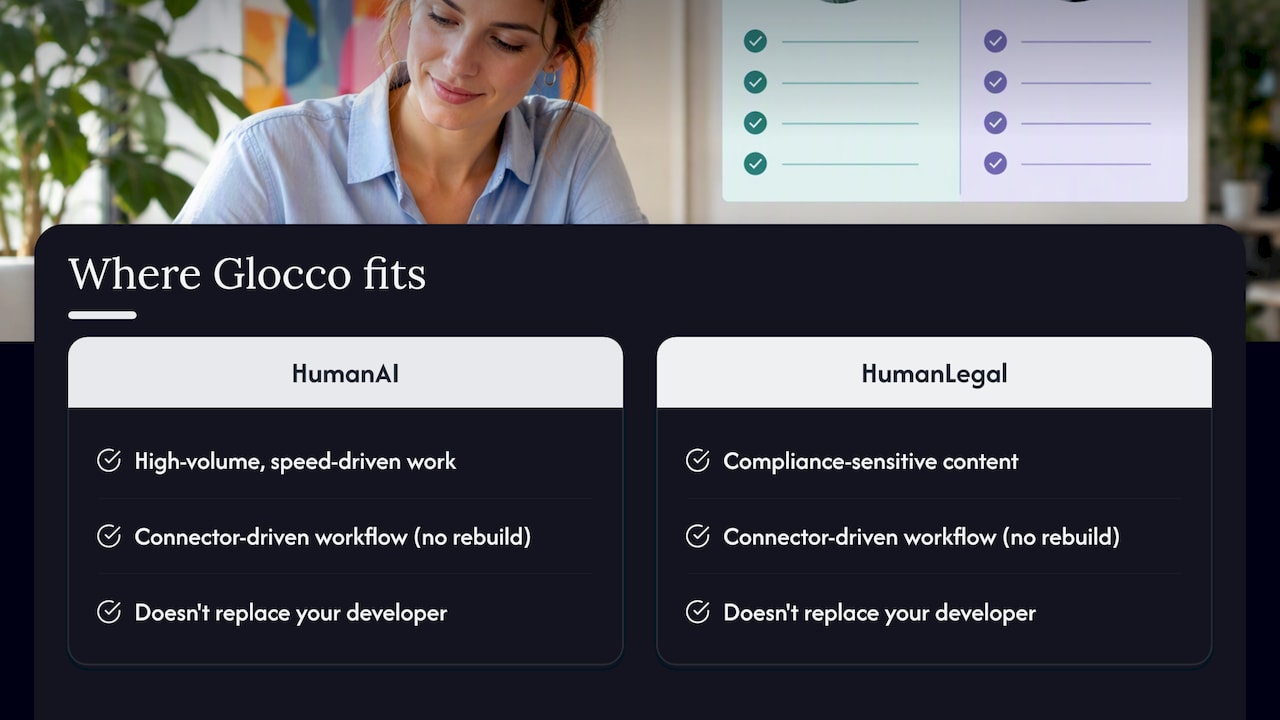
Whether your content needs HumanAI for high-volume, speed-driven work or HumanLegal for anything compliance-sensitive, we slot straight into a connector-driven workflow without you having to rebuild anything. We’re not promising to replace your developer, we’re promising the translation side won’t be the weak link. Fancy a scoping chat about your setup? Get in touch through Glocco and we’ll talk through what fits.
FAQ
What’s the difference between a connector and a custom API integration?
A connector is a pre-built bridge between your CMS and TMS, usually ready to configure within days. A custom integration gives you full control over job logic and reporting but takes longer to build and maintain.
Should I use webhooks or polling for job status updates?
Webhooks are the better choice for most teams because they notify your system the moment a job status changes, rather than forcing you to check repeatedly. Polling still works as a fallback if a webhook delivery ever fails.
Which file formats do translation API integrations typically support?
Most connectors and TMS platforms accept XLIFF, JSON, and HTML, with XLIFF being the industry standard for structured translation content. Preview packages are often required alongside these for visual context.
Does glocco® offer API integration support alongside translation services?
Yes, glocco® works with clients setting up connector-driven or custom integrations, pairing that setup with services like HumanAI or HumanLegal depending on content type.
How do I secure webhook payloads in a translation API integration?
Always verify the signature on every incoming webhook payload before acting on it, and build in a replay window with a dead-letter queue for delivery failures. This stops spoofed or duplicate events from triggering unwanted actions.
Sources
- Create webhook
- Technical requirements: content exchange hosted connector (Lokalise)
- Integrate Smartling with Webflow | Quick connect guide


