


Payment gateway localisation means adapting every screen, message, email and document your checkout touches, not just swapping words for a different language. The one thing to measure is trust: does the checkout look, read and behave like it was built for the person paying, right there in their market? Regulation and accessibility aren’t nice extras here either. They’re the floor you build on.
What exactly counts as payment gateway localisation?
Here’s where scope creep loves to sneak in. Payment gateway localisation isn’t just the “Pay now” button. It’s everything the payer sees, hears or reads between adding an item and getting a receipt.
- UI strings and microcopy: button labels, tooltips, field hints, loading states.
- Error messages: card declines, timeouts, validation failures, all written in plain, local language.
- Hosted pages and SDK or plugin text: anything rendered by a third-party payment component still needs your voice and your market’s words.
- Emails and receipts: confirmation, refund and dispute notices, formatted the way that market expects.
- Legal and consent text: terms, privacy notices, cookie banners tied to the payment flow.
- Integration docs and webhook payloads: internal-facing, but still full of strings that get surfaced to support teams and sometimes to customers.
Cultural adaptation goes deeper than word-for-word translation too. Date formats, number separators, tax labels (“VAT” versus “sales tax”), name order fields and even which payment terms sound trustworthy all shift by market. Give this project an owner from each side: product, localisation, legal, payments and support. Miss one, and something breaks downstream, usually the week after launch.
A step-by-step checklist for localising a payment gateway
Treat this like any engineering rollout, because that’s exactly what it is.
- Prioritise markets and set SLAs. Decide which markets go first based on revenue potential and regulatory complexity, then agree turnaround times with your localisation partner.
- Define what success looks like. Pick metrics upfront: checkout completion rate, decline rate, helpdesk ticket volume by language. You can’t fix what you don’t monitor.
- Extract strings with context. Pull every string with screenshots, variable placeholders and character limits attached. Translators guessing at context is how “Cancel” ends up meaning “Confirm.”
- Pseudo-localise before you translate for real. Run a dummy language pass first to catch layout breaks caused by longer words or right-to-left text.
- Build a payment glossary. Lock down approved terms for fees, refunds, chargebacks and legal phrases so every screen and email uses the same word for the same thing.
- Map the integration. Webhook statuses, pending states and reconciliation fields all need translated equivalents that your operations team can actually match against transaction logs.
- Roll out behind feature flags. Launch market by market, watch decline rates and support ticket spikes closely, and keep a fast rollback path ready.
Pro Tip: Keep your glossary in the same tool your engineers use for string management. A glossary nobody opens is just a document, not a control.
Skipping steps here doesn’t save time. It just moves the pain to launch week, when it’s far more expensive to fix.
Form fields, autofill and currency traps that quietly kill conversions
Small technical choices cause big drop-offs, and most of them are invisible until a real user from a real market hits them.
- Use correct autocomplete attributes on payment fields and allow full Unicode input for names and addresses, rather than forcing Latin-only characters through an overzealous regex, as autofill guidance from Chrome’s web platform team recommends.
- Don’t split card numbers or phone numbers across multiple boxes. One field, correctly labelled, works better with autofill and with mobile keyboards.
- Set the right input mode so mobile users get a numeric keypad for card numbers instead of a full alphabet keyboard.
- Add a manual region and currency selector that overrides GeoIP and stays put across the session. GeoIP alone misfires constantly, especially for anyone on a VPN or a corporate proxy, and international payment UX guidance is blunt about the fallout: wrong flows, wrong currency, lost sales.
- Keep price presentation identical from product page to final charge. If the currency symbol, decimal format or tax treatment shifts partway through checkout, buyers notice, and they hesitate.
- Build SCA and 3-D Secure UX into the flow from day one, not bolted on afterwards. Inline microcopy that tells the payer what their banking app will show and roughly how long it takes cuts abandonment during authentication challenges, a point Visa’s PSD2 implementation guide makes clearly, and PSD2’s regulatory technical standards require consistent, secure authentication behaviour across providers.
Handle authentication failures with a clear, calm message and an obvious retry path. A vague “something went wrong” screen loses payers who were seconds from finishing.
Accessibility rules you can’t treat as optional
The European Accessibility Act reaches into payment services, and EN 301 549 is the recommended technical reference for meeting it. Pair that with WCAG guidance and you’ve got a solid baseline for building a checkout that works for everyone, not just the average tester in your office.
Practically, that means:
- Proper screen-reader labels on every payment field, button and error state.
- A checkout that works fully by keyboard, no mouse required.
- An alternative authentication path for SCA that doesn’t assume every payer owns a smartphone.
- Error messages written in plain language, announced clearly to assistive technology, not just shown in red text.
Bring accessibility specialists and real users of assistive technology into acceptance testing before launch, not after a complaint lands. As one partner guide on web accessibility points out, accessible design tends to improve usability and discoverability for everyone, not a narrow slice of users.
Testing and QA before and after launch
Linguistic QA needs context, always. Reviewers should see real screenshots, not a spreadsheet of isolated strings, and check that placeholders, variables and plural forms render correctly in every language.
- Run full end-to-end flows, including authentication failures, timeouts, partial successes and retry attempts, in every localised market.
- Test accessibility with automated scanners first, then confirm with real assisted testing using screen readers and keyboard-only navigation.
- Verify operational outputs: reconciliation reports, refund flows and settlement file formats all need checking in their localised form, not just the English original.
- Set up monitoring alerts for decline rate spikes and helpdesk scripts translated for support teams handling non-English queries.
Pro Tip: Ask support agents to run the checkout themselves in each language before launch. They’ll catch confusing phrasing that a linguistic reviewer, working from a spreadsheet, never will.
A localisation testing checklist built specifically for software QA gives you a repeatable structure for this, rather than reinventing one for every market.
Fraud detection needs its own localisation pass
Fraud rules trained on one market’s behaviour often flag perfectly normal transactions in another. A billing address format that looks suspicious in one country might be completely standard in another, and a payment method common in one region might trigger extra scrutiny simply because your fraud model has never seen much volume from there.
Localising fraud detection means feeding your models region-specific signals: local payment method usage patterns, typical transaction sizes, common address formats and known fraud typologies for that market. It also means translating fraud-related messaging carefully. A “we’re verifying your payment” screen needs to reassure, not alarm, and the wording that reassures a buyer in one market can read as evasive or suspicious in another.
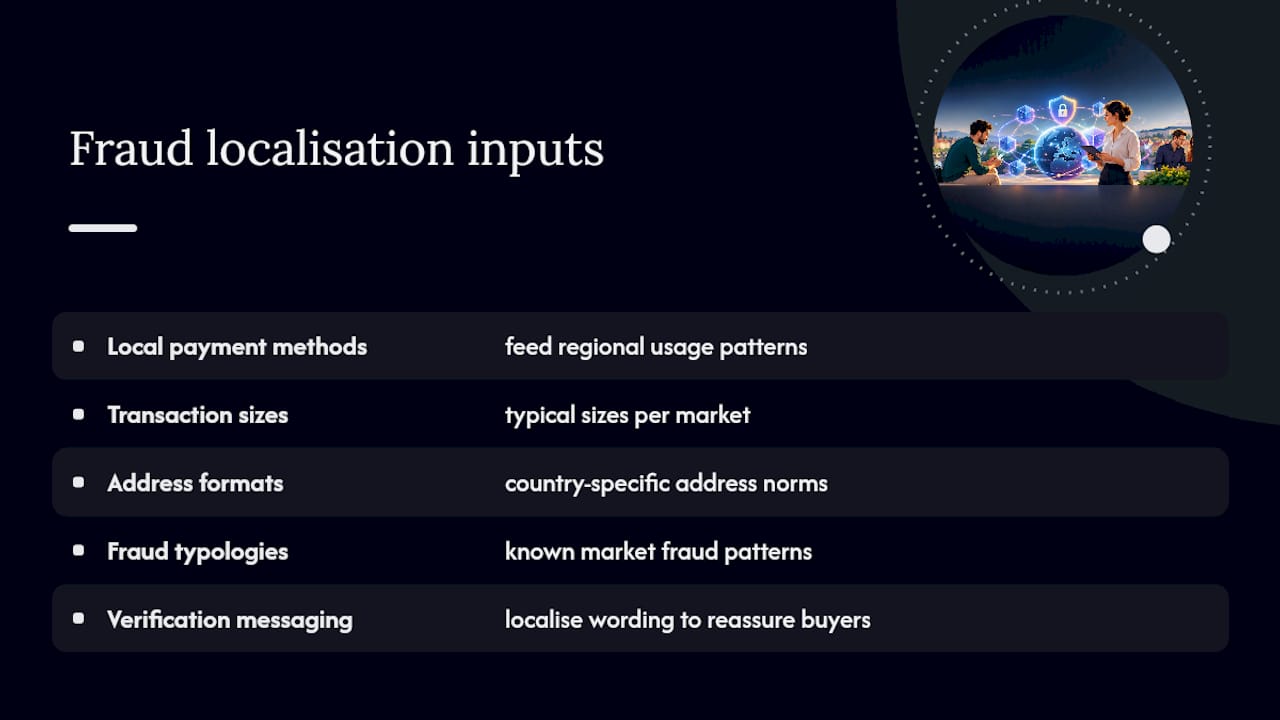
Review thresholds by region too. A rule set calibrated on data from one market, then applied everywhere, tends to either miss real fraud elsewhere or block genuine customers who don’t fit the original pattern. Keep your fraud and localisation teams talking to each other, because a decline message that’s technically accurate but culturally tone-deaf does real damage to trust, on top of the lost sale.
Multilingual customer support needs to plug into the same flow
None of this localisation work matters much if a payer hits a problem and can’t get help in their own language. Support tickets about payments are urgent by nature, someone’s money is stuck, so the support integration deserves the same care as the checkout itself.
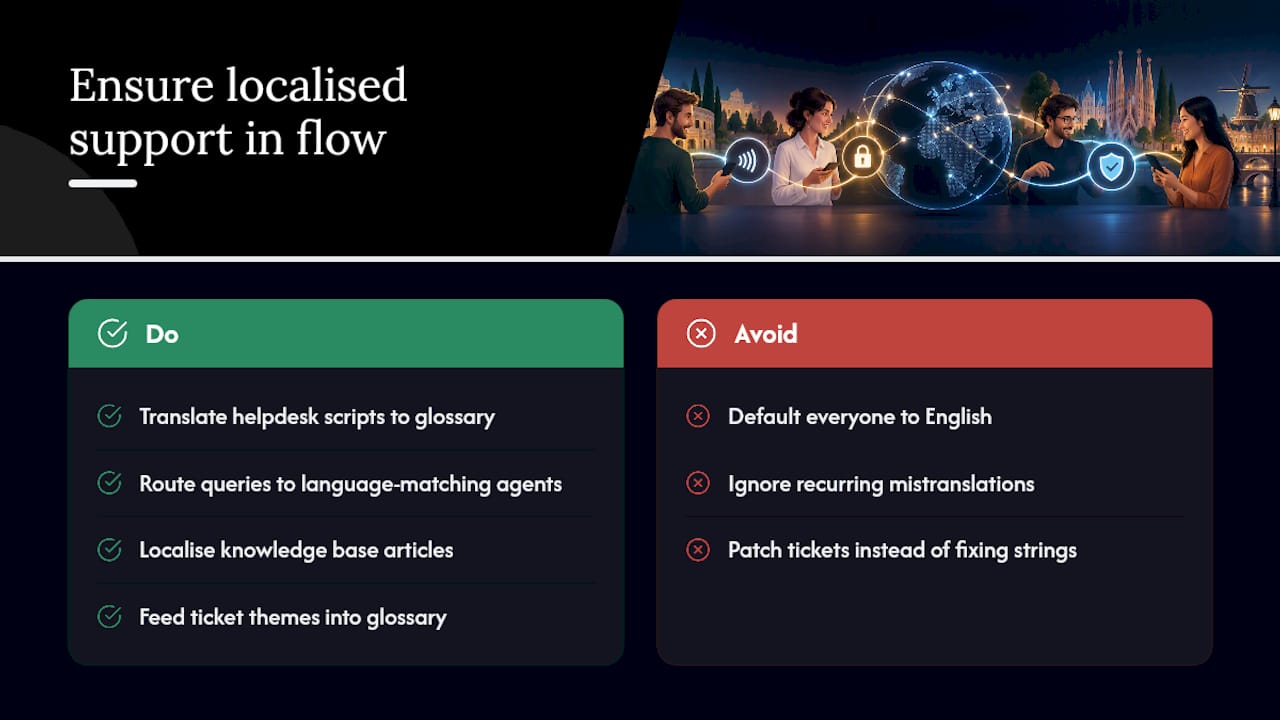
That means translated helpdesk scripts that match your approved payment glossary, so a support agent in one market and a support agent in another use identical terms for “chargeback” or “pending settlement.” It means routing tools that can direct a payment query to an agent who actually speaks the payer’s language, rather than defaulting everyone to English and hoping for the best. And it means your knowledge base articles about refunds, declines and billing need the same localisation treatment as the checkout copy that caused the question in the first place.
Feed real support ticket themes back into your localisation glossary. If agents keep having to explain the same mistranslated error message, that’s a signal your QA process missed something, and it’s cheaper to fix the string than to keep fielding the tickets.
How we approach payment gateway localisation projects
We build these projects around a Human+AI workflow: fast draft translation where speed matters, then specialist human review everywhere accuracy and compliance can’t slip, drawing on experience across fintech and e-commerce clients. Screens tied to PSD2 and SCA get compliance-aware treatment, not a generic pass.
Typical deliverables include a payment glossary, engineering-friendly string bundles, a critical-strings pack for the highest-risk screens, a QA report and a period of post-launch monitoring. We push for cross-team reviews too, because a checkout that satisfies legal but confuses payments, or delights UX but breaks reconciliation, isn’t actually finished.
— glocco®
How glocco® can help with your payment gateway pilot
Right, let’s talk about how this actually gets done. If you’re staring at a checkout that needs to work in three new markets by next quarter, you don’t need another framework. You need someone who’s translated payment flows before and knows where the traps are.
We offer HumanAI for fast, context-aware string handling, HumanPro for compliance-sensitive screens like SCA and PSD2 flows, and HumanLegal for the consent text and terms that sit underneath your checkout.
A scoped pilot typically covers:
- A payment glossary built from your existing strings.
- A critical-strings pack covering your highest-traffic checkout screens.
- A QA report flagging anything that needs engineering attention before launch.
Most pilots run over a few weeks, depending on scope, and success looks like a checkout that reads naturally, passes compliance review and doesn’t generate a wave of confused support tickets in week one. If you want to see how the process works before committing to a full rollout, get in touch about a pilot and we’ll scope it with you.
Standards and guides worth keeping close
Keep PSD2’s regulatory technical standards, EN 301 549 accessibility guidance and platform-level autofill documentation on hand. They make excellent acceptance criteria, not just background reading.
Sources
- International Payment UX – HTML WG
- Regulation (EU) 2018/389 (PSD2 RTS) — EUR-Lex
- Accessibility to retail payments: proposed follow-up — ECB / ERPB
- Autofill payment form guidance — GoogleChrome modern-web-guidance
FAQ
What does payment gateway localisation actually include?
It covers every text and interaction a payer encounters: UI strings, error messages, emails, receipts, legal text and the checkout flow itself, adapted for language and local expectations, not just translated word for word.
Is accessibility really required, or just recommended?
The European Accessibility Act applies to payment services, and EN 301 549 serves as the technical reference most teams use to meet it. Treat it as a build requirement, not an optional polish step.
How does SCA affect localised checkout copy?
Strong Customer Authentication under PSD2 requires consistent, secure authentication behaviour, and clear inline microcopy explaining what the authentication step involves reduces abandonment during that step, as Visa’s SCA implementation guidance sets out.
Should currency selection rely on GeoIP alone?
No. GeoIP can misidentify a payer’s real location, particularly with VPNs or proxies, so international payment UX guidance recommends a manual region and currency selector that overrides GeoIP and persists through the session.
What does a glocco® pilot for payment gateway localisation cost?
Pricing depends on scope, language pairs and which services you need, such as HumanAI or HumanPro, so it’s available on request once we’ve scoped your project.


