


Searching for “marketplace listing lokalizácia”? You probably want one of two things. Either you need to change the location on a Facebook Marketplace listing, or you need to localise your listings so shoppers in another country actually understand and trust them. We cover both here, quick fix first, big opportunity second. (Yes, it’s the same word. English makes it confusing, Slovak does too!)
Quick fix: changing the location of a Facebook Marketplace listing
If your listing shows the wrong place, here is the short route. Open Marketplace, go to Selling, then Your listings. Tap the three-dot menu on the listing and choose Edit listing. If the editor offers a location field, type the new city, area or postcode and save. Then check the public view of the listing.
A few things trip people up:
- Browsing location and listing location are different things. Meta says you can set a search location that differs from your profile location. Changing it does not move listings you already published.
- Use a desktop browser if the app misbehaves. The mobile app relies on your device’s location services when you create a listing, so a browser gives you more control.
- Locked listings. A listing with an active order via Checkout with delivery may not be editable or deletable until that order is done.
- The control may simply not be there. Meta notes that Marketplace is personalised and some options, such as Set location, may not be available to everyone.
No location field at all? Publish a new listing with the right area, and write the general pickup area in the description. Keep your home address out of it. Share the exact address privately once a sale is agreed.
That’s the pin sorted. Now for the part that moves revenue.
What marketplace listing localisation really means
Here is a bold claim: a listing in the wrong language is a listing nobody buys from. Shoppers in Bratislava, Vienna or Warsaw skim a title, five bullets and a price. If any of those sounds like a machine wrote it, they scroll on.
Localising a marketplace listing means adapting everything the buyer sees, not just swapping words:
- Title: the terms local shoppers actually type, in the order they type them.
- Bullet points and description: natural phrasing, local units (cm, litres, EU sizes), local expectations on warranty and returns.
- Attributes and categories: the marketplace’s own taxonomy in the local language, so filters work.
- Images and overlays: text baked into pictures needs translating too.
- Compliance wording: safety notices, consumer information and claims that must read correctly in each country.
- Currency and delivery: prices, VAT messages and shipping promises that match the market.
Want the wider picture? Our guide on what content localisation is for e-commerce brands goes through the basics.
Why a literal translation falls short
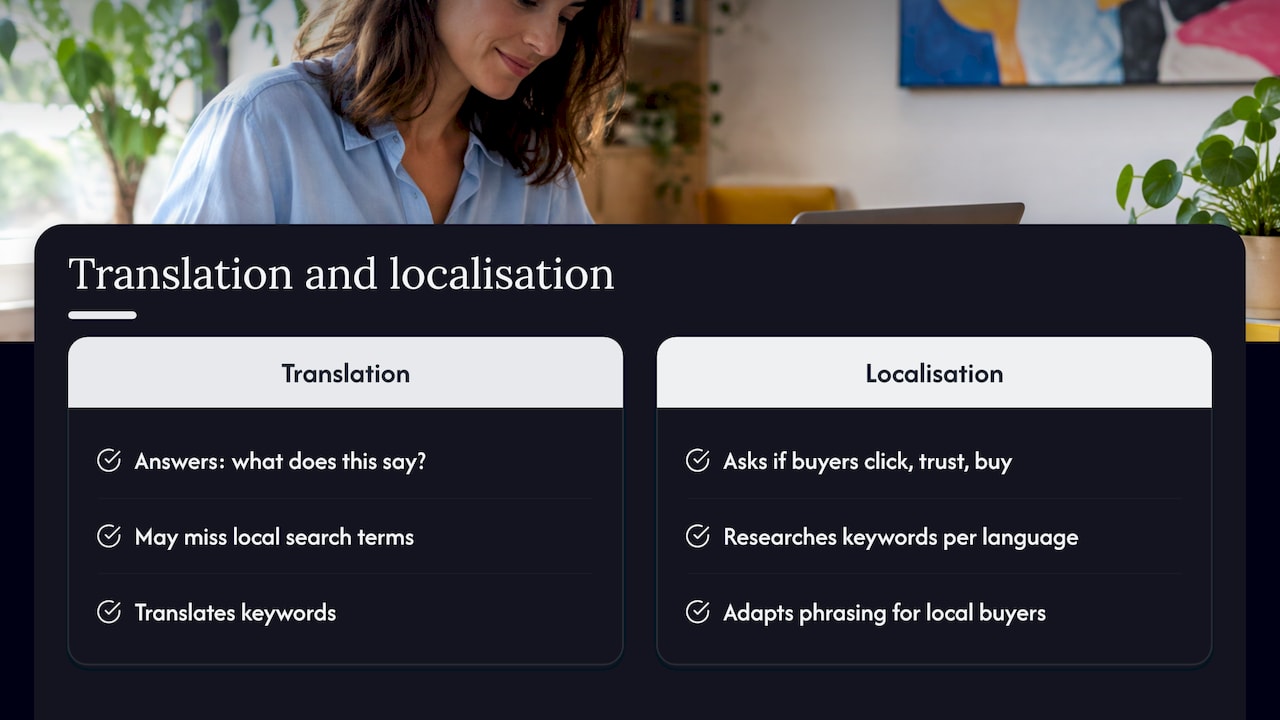
Translation answers “what does this say?”. Localisation answers “would a local buyer click, trust and buy?”. Those are different questions.
Take a Slovak seller moving into Germany. A word-for-word title may be grammatically fine, yet miss the compound term shoppers really search. Or take a German bullet point full of technical detail that Czech buyers would phrase far more simply. The product is identical. The conversion is not.
There is also the search side. Marketplaces rank listings partly on how well the text matches what buyers type, so keywords need research per language, not translation. If you are building the wider content around your listings too, multilingual SEO content is worth a look for planning keywords across languages.
We go deeper on this in why translating product descriptions pays off.
A simple workflow for localising listings
No need to start with 5,000 SKUs. Try this:
- Pick the market and marketplace. One country, one platform. Don’t spread thin.
- Rank your products. Start with bestsellers and high-margin items.
- Build a glossary. Product names, brand terms, materials, sizes. Decide once, reuse everywhere.
- Research local keywords. Look at how competitors’ top listings in that language are worded and what the marketplace suggests as you type.
- Localise the text. A native linguist who knows the product category writes it, not just translates it.
- Review before publishing. A second pair of eyes checks terminology, character limits and compliance wording.
- Measure and iterate. Compare impressions, clicks and orders per market, then refine titles first.
Our language localisation checklist turns this into a tick-list, and the localisation workflow guide shows how to keep errors down as volumes grow.
Where machines help and where people matter
AI is brilliant for speed. It drafts, it keeps terminology consistent, it handles repetitive attribute fields. Where it needs a human is tone, local keywords, humour that shouldn’t be there, and anything with legal weight, like claims about safety, health or finance.
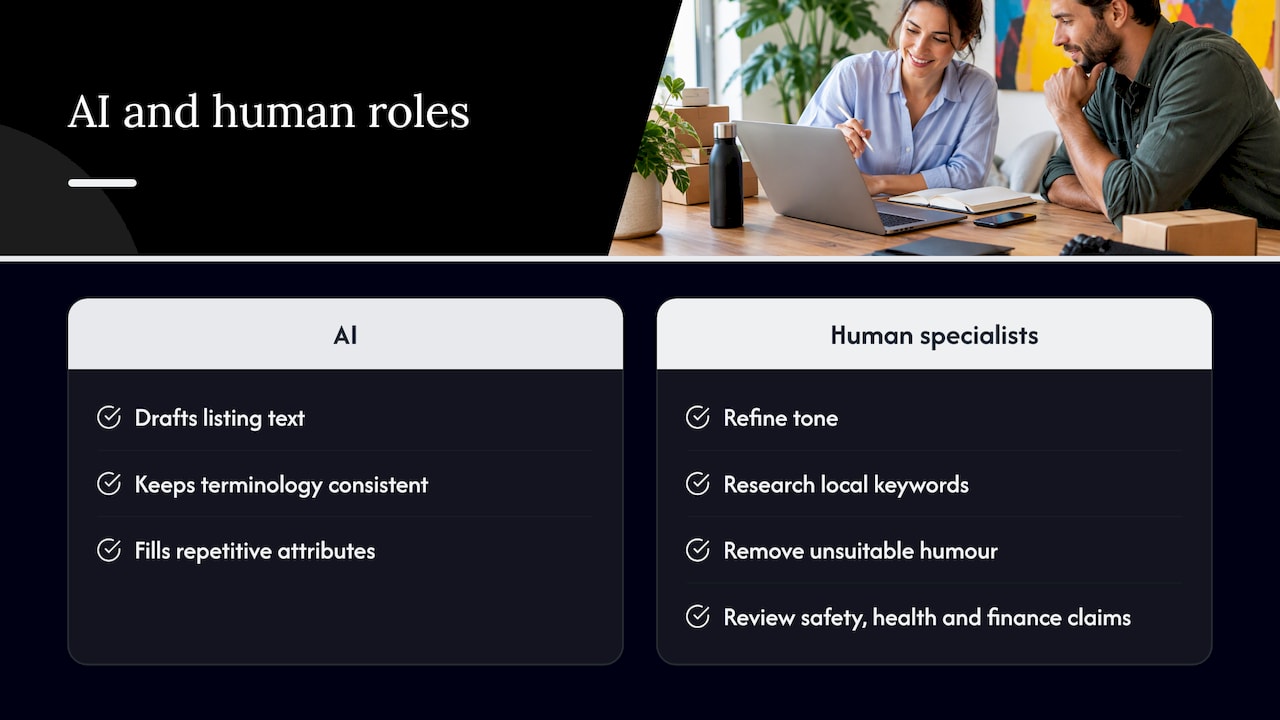
The sensible setup is a hybrid: machine speed, human judgement. That is how we think about it too, and it’s why our text services are built around people checking the output. If your sector is regulated, such as medical, fintech or legal, the human step is not optional.
What to localise first
| Element | Why it matters | Priority |
|---|---|---|
| Title | Drives search match and clicks | Highest |
| First two bullets | Often all a buyer reads | High |
| Attributes and filters | Decide whether you appear at all | High |
| Description / A+ content | Builds trust, answers objections | Medium |
| Image text | Silent deal-breaker if left in the source language | Medium |
| Video and subtitles | Boosts engagement on product pages | Growing |
Seller videos need the same love. Subtitles and voiceover in the local language make a demo understandable to someone who can’t read your source language.
Our perspective
We’ve been in language services since 2014, and here is what we see again and again: sellers treat listings as a copy-paste job. Then they wonder why a product that sells brilliantly at home sits still abroad.
Our view? Listings are your shop window. They deserve the same care as your homepage. We work with e-commerce, fintech, gaming, legal, medical and manufacturing clients, so we know a listing has to be persuasive and correct at once.
That’s why we combine modern technology with proven localisation practice, and put specialist linguists on the work. Start small, learn from one market, then scale. Want to see how that played out for a real e-commerce brand? Have a look at our Muziker case study.
glocco®
How glocco® can help
We localise product content for e-commerce teams across Europe and beyond, in 76 languages, with specialists who know your category. Our text services, such as HumanPro, pair people with technology, and we can add video subtitling and voiceover for your product videos. Tell us your marketplace, your target country and your catalogue size, and we’ll shape the project around it. Start at glocco.com.
FAQ
Does changing my Facebook location change my Marketplace listings?
No. Browsing location and listing location are separate. Changing where you search does not update listings you have already published, so edit each listing or relist it.
Why can’t I edit the location of my listing?
Usually the listing is tied to an active Checkout order, or the option isn’t available on your account. Try a desktop browser first. If it still fails, end the listing and create a new one with the right area.
What is the difference between translation and localisation of a listing?
Translation converts the text. Localisation also adapts keywords, units, tone, attributes and compliance wording so a local buyer finds the listing and trusts it.
Which part of a marketplace listing should I localise first?
Start with the title and the first bullets of your bestsellers. They shape search matching and the first impression. Then move to attributes, descriptions and image text.
Sources
- Facebook Marketplace, Meta transparency centre
- How to Change Location on Facebook Marketplace, PIA
- Change a Facebook Marketplace Listing Location, MacMyths
- How to Change Location on Facebook Marketplace Listing, iTechGuides
- Multilingual SEO Content


