TL;DR:
- Localisation testing ensures products feel natural and functional for specific regions, going beyond translation.
- Different test types address linguistic, functional, UI, and locale-specific issues crucial for market success.
- Incorporating real environments and human cultural input is essential for effective, ongoing localisation quality assurance.
Over 70% of global users prefer to browse and buy in their native language, yet many businesses still treat localisation as a final step rather than a quality discipline. The result is products that technically work but feel foreign, awkward, or broken to their intended audience. Localisation testing is not simply proofreading a translation. It is a structured process that verifies whether your product truly functions, reads, and feels right for every target market. This article covers what localisation testing involves, the specific test types that matter, the business case for doing it properly, and a practical framework for getting it right before launch.
Key Takeaways
| Point | Details |
|---|---|
| Localisation testing defined | It ensures software fits target markets by checking language, culture, and features beyond translation. |
| Multiple test types | Linguistic, functional, UI, and locale-specific checks all play unique roles in localisation. |
| Reduces costly errors | Early localisation testing prevents expensive post-launch fixes and improves user acceptance. |
| Hybrid approaches work best | Automation plus native human testers deliver both efficiency and cultural accuracy. |
What is localisation testing?
Localisation testing is the process of verifying that a product, whether software, a website, or a digital service, has been fully adapted for a specific region or locale. It goes well beyond checking that words have been translated correctly. As Testlio explains, localisation testing verifies adaptation for language, cultural norms, formats, and functionality. That means checking everything from date formats and currency symbols to the way buttons behave when text expands in German or Arabic.
To understand where localisation testing fits, it helps to know how it relates to two neighbouring concepts.
| Term | What it means | When it happens |
|---|---|---|
| Internationalisation (I18n) | Engineering a product to support multiple locales | During development |
| Localisation (L10n) | Adapting content and features for a specific region | After I18n is complete |
| Localisation testing | Verifying that L10n has been done correctly | Before and after release |
As Virtuoso QA notes, I18n is core engineering for multi-locale support, while L10n is the adaptation work that follows. Localisation testing sits at the end of that chain, catching what has been missed.
Common errors that localisation testing catches include:
- Strings that were never sent for translation and remain in the source language
- Text that overflows buttons or truncates in languages with longer word lengths
- Locale-specific features, such as tax calculations or address fields, that behave incorrectly
- Images or icons that carry unintended cultural meaning in the target market
- Right-to-left (RTL) layout failures in Arabic or Hebrew interfaces
“A product that passes functional QA in English can still fail completely in Japanese if localisation testing is skipped. The two disciplines are not interchangeable.”
For a broader understanding of how adaptation works across markets, our language localisation guide is a useful starting point. You can also find a detailed outline of localisation testing that covers technical scope for development teams.
Key types of localisation tests and what they cover
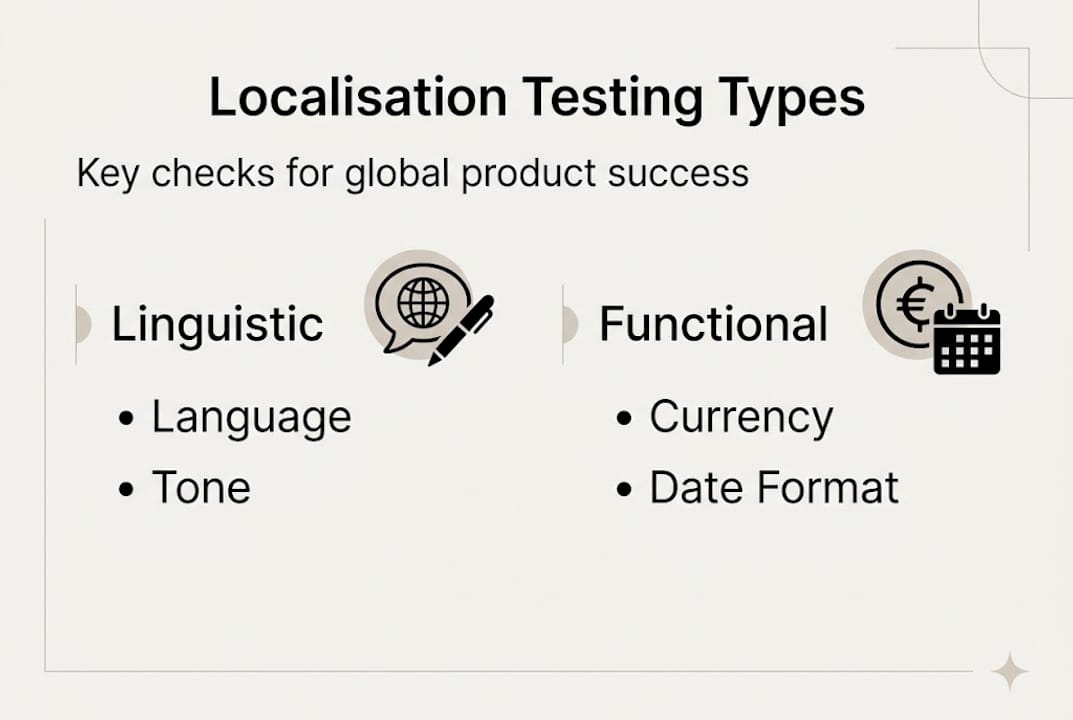
Localisation testing is not a single check. It is a collection of distinct test types, each targeting a different layer of the user experience. Testlio’s expert insights identify four primary categories: linguistic, functional, UI/cosmetic, and locale-specific testing.
| Test type | What it checks | Example failures caught |
|---|---|---|
| Linguistic | Grammar, spelling, idioms, tone | Awkward phrasing, untranslated strings, wrong register |
| Functional | Features and interactions in locale context | Payment buttons that fail, locale-triggered errors |
| UI/Cosmetic | Layout, text expansion, RTL rendering | Truncated labels, broken grids, overlapping text |
| Locale-specific | Dates, currency, addresses, legal formats | Wrong date order, missing postal code fields |
Here is how each type plays out in practice:
- Linguistic testing reviews the accuracy and naturalness of translated content. It is not enough for text to be grammatically correct. It must also use the right register, avoid false friends (words that look similar across languages but mean different things), and reflect local idioms appropriately.
- Functional testing checks that locale-specific features actually work. A checkout flow that handles VAT correctly in Germany may break entirely in the UAE if the tax logic was not adapted.
- UI and cosmetic testing focuses on visual integrity. Languages like Finnish or Polish can expand translated text by 30 to 40 per cent compared to English, which breaks fixed-width layouts. RTL languages require mirrored interfaces.
- Locale-specific testing verifies that regional formats are applied correctly. Dates written as MM/DD/YYYY in the United States become DD/MM/YYYY in the United Kingdom, and YYYY/MM/DD in Japan. Getting this wrong erodes trust immediately.
Pro Tip: Build your software localisation strategies around a structured localisation testing checklist that maps each test type to specific locales. This prevents teams from running generic checks and missing region-specific edge cases.
Why localisation testing matters for market success
The business case for rigorous localisation testing is straightforward. Products that feel native to their audience perform better. Products that feel foreign, or worse, broken, lose users quickly and cost significantly more to fix after the fact.

Over 70% of users prefer to interact with products in their native language, and fixing localisation issues after launch is far more expensive than catching them before release. Rework at the post-launch stage involves not just translation corrections but regression testing, redeployment, and reputational repair in markets where first impressions carry significant weight.
The measurable benefits of thorough localisation testing include:
- Higher adoption rates in target markets, as users encounter fewer friction points
- Reduced support costs, because locale-specific bugs generate disproportionately high volumes of support tickets
- Stronger brand trust, since a polished localised experience signals investment in the market
- Faster time to revenue, because fewer post-launch fixes mean faster stabilisation
One area where the industry is evolving rapidly is the role of automation. AI-powered testing tools can accelerate repetitive checks, but hybrid automation and native speakers remain essential for quality. Automated tools handle mechanical checks such as string completeness and format validation efficiently. Human testers with genuine cultural fluency catch the subtler failures: a slogan that is technically accurate but culturally tone-deaf, or a colour scheme that signals something unintended in a specific market.
“Automation without cultural context is like spell-checking a letter without reading it. The words may be correct, but the message can still be wrong.”
For businesses building the case internally, our article on the benefits of localisation provides supporting evidence across industries. Teams working on digital products will also find our website localisation essentials guide relevant to scoping their testing requirements. You can explore the full Virtuoso QA research for additional data on user language preferences and testing ROI.
Localisation testing process: frameworks and practical tips
Knowing what to test is only part of the challenge. Structuring the process so that nothing falls through the gaps is where many teams struggle. Here is a practical framework used by teams launching products across multiple regions.
Step 1: Define your locales and requirements
Before any testing begins, list every target locale explicitly. Do not assume that testing for French covers French Canadian, or that Spanish covers Latin American variants. Gather locale-specific requirements: legal formats, accessibility standards, and any regulatory constraints that affect content.
Step 2: Set up region-accurate test environments
This is where many teams make a costly mistake. Testing in real geo-locations or using accurate IP configurations is essential for triggering locale-specific behaviour correctly. Emulators and VPNs can miss region-specific server responses, payment gateway rules, and content delivery variations that only appear in genuine local environments.
Step 3: Run linguistic and UI checks in parallel
Do not sequence these as entirely separate phases. Linguistic and UI issues often interact. A translation correction can fix a grammar problem but introduce a new layout break. Running both checks in parallel, with testers communicating in real time, catches these interactions early.
Step 4: Execute functional and locale-specific tests
Test every user journey from end to end in the target locale. This includes registration flows, payment processes, date pickers, address forms, and any feature that references regional data. Use the Testlio hybrid automation tips to automate repetitive format checks while reserving human testers for journey-level validation.
Step 5: Validate with local users
Before sign-off, involve real users from the target market in structured usability sessions. Automated tools and remote testers catch most issues, but local users surface the ones that only lived experience reveals.
Pro Tip: Integrate your localisation workflow with AI tools for localisation to automate string validation and format checks, freeing your human testers to focus on cultural accuracy and journey-level quality. See LambdaTest’s localisation advice for further guidance on environment configuration.
Common pitfalls to avoid:
- Over-relying on emulators instead of real geo-located environments
- Treating localisation testing as a one-time pre-launch activity rather than an ongoing discipline
- Failing to retest after content updates or feature releases that touch localised strings
- Skipping RTL and non-Latin script validation because the primary market uses Latin characters
For practical examples of how leading businesses structure their approach, our localisation strategy examples cover real-world cases across European and global markets.
Why most localisation testing falls short—and how to fix it
After working with businesses across Europe, the Middle East, North America, and Asia, one pattern stands out consistently. Most localisation testing programmes check for translation accuracy and UI integrity. Very few check for cultural immersion. These are not the same thing.
A product can pass every linguistic and functional test and still feel wrong to its audience. The issue is usually something invisible to automated tools: a communication style that feels too formal for a Brazilian audience, a visual hierarchy that does not match how Japanese users scan information, or a support flow that assumes cultural norms that simply do not apply.
The fix is not more automation. It is a shift in how testing is scoped. Business localisation strategies that perform well treat cultural QA as an ongoing discipline, not a pre-launch checkbox. That means involving on-the-ground testers throughout the product lifecycle, not just at release. It means building feedback loops from local customer support teams back into the testing process. And it means accepting that a product launched in five markets needs five genuinely distinct quality assurance perspectives, not one global template applied five times.
Over-reliance on technology is the other persistent failing. AI tools are genuinely powerful for format validation and string completeness, but they cannot tell you whether your error messages sound cold and bureaucratic to a German user or whether your onboarding copy feels patronising in South Korea. That judgement requires human cultural fluency, and no amount of automation replaces it.
Enhance your localisation testing for seamless global launches
Glocco® has supported businesses across e-commerce, fintech, gaming, and technology sectors in building localisation programmes that hold up under real market conditions. From structured localisation for business growth planning to hands-on quality assurance workflows, our team combines linguistic expertise with cultural insight across Europe, the Middle East, North America, and Asia. Start with our language localisation checklist to assess your current readiness, then explore our tailored localisation strategies to see how businesses like yours have achieved measurable results in new markets. Get in touch with the Glocco® team to discuss your next global launch.
Frequently asked questions
How does localisation testing differ from translation testing?
Localisation testing checks the entire user experience for a specific region, including cultural fit, functionality, and formatting, while translation testing only verifies whether the language is accurate. The two disciplines address different layers of quality.
Why do businesses need localisation testing before launch?
Catching localisation issues before release avoids costly rework and protects user adoption, since over 70% of users prefer products in their native language and are quick to abandon those that feel poorly adapted.
What are common mistakes in localisation testing?
The most frequent errors include relying solely on automated tools, testing without real geo-location environments, and treating cultural validation as optional rather than central to the process.
Can AI fully automate localisation testing?
AI can handle repetitive checks and reduce test maintenance by up to 90%, but human testers with cultural fluency remain essential for catching nuanced failures that automated tools consistently miss.